Top Features of GB WhatsApp You Should Know in 2026
Introduction
GB WhatsApp has become one of the most popular messaging applications for Android users who want more control over their chats, privacy, and customization. While the official WhatsApp application provides a simple messaging experience, GB WhatsApp offers many additional features that make communication more flexible and personalized.
The 2026 version introduces improved performance, enhanced privacy options, smoother customization, and several useful tools that help users manage conversations more efficiently. Whether you are a new user or have been using GB WhatsApp for years, understanding its features will help you get the most out of the application. For more tutorials, updates, and installation guides, gbwhtapps.net provides helpful resources for GB WhatsApp users.
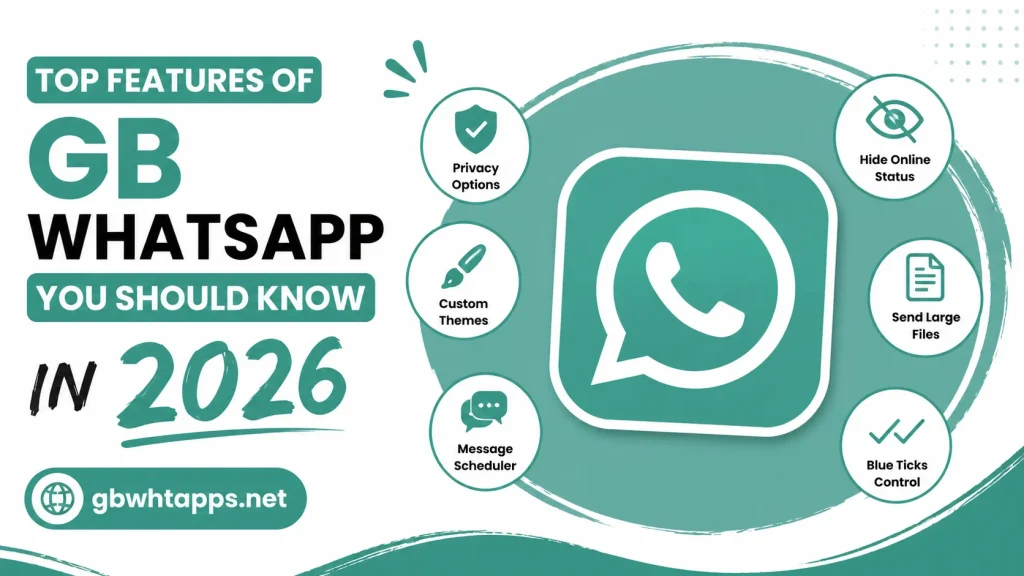
What Makes GB WhatsApp Different?
GB WhatsApp is designed for users who want more than basic messaging. It includes advanced settings that allow you to customize almost every part of the application.
Some key improvements include:
- Better privacy controls
- More customization options
- Enhanced media sharing
- Additional messaging tools
- Improved file management
- Flexible interface settings
These features give users a more personalized messaging experience.
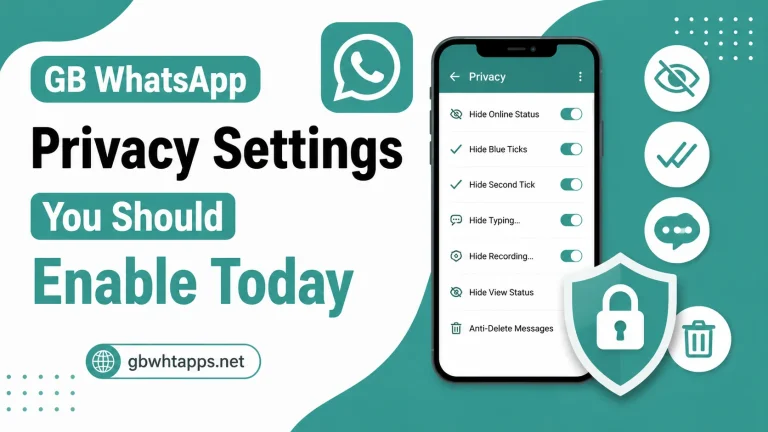
Advanced Privacy Controls
Privacy is one of the biggest reasons people choose GB WhatsApp.
You can control who sees your activity while continuing to use the app normally.
Available privacy features include:
- Hide online status
- Hide last seen
- Hide blue ticks
- Hide second ticks
- Hide typing indicator
- Hide recording status
- Freeze last seen
- Disable forwarded tag
- Control who can call you
- Lock individual chats
These options allow you to communicate without sharing every activity with your contacts.
Custom Themes
One of the standout features of GB WhatsApp is theme customization.
Unlike the standard app, you can completely change the appearance of your interface.
You can customize:
- Background colors
- Chat wallpapers
- Home screen layout
- Menu colors
- Font styles
- Icons
- Chat bubbles
- Notification icons
This allows every user to create a unique look.
Large Media Sharing
Sharing media is much easier in GB WhatsApp.
You can send:
- High-quality photos
- Large videos
- PDF documents
- ZIP files
- Audio files
- Multiple images at once
The improved sharing limits make the app more convenient for personal and professional communication.
Status Downloader
The built-in status downloader allows users to save photos and videos shared by their contacts.
Benefits include:
- Save status images
- Download videos
- View saved files later
- No need for separate apps
- Quick access to downloaded content
This is one of the most frequently used features.
Anti-Delete Messages
Sometimes contacts delete messages before you have a chance to read them.
With the Anti-Delete Messages feature, deleted messages remain visible on your device.
Advantages include:
- Read deleted messages
- View removed conversations
- Avoid missing important information
Anti-Delete Status
Similar to deleted messages, GB WhatsApp also lets you view status updates that someone removes before they expire.
This feature ensures you don’t miss shared content.
Auto Reply
Auto Reply is useful for both personal and business users.
You can automatically respond when you’re unavailable.
Examples include:
- Busy at work
- Driving
- Sleeping
- In meetings
- Traveling
This feature helps maintain communication even when you cannot reply immediately.
Message Scheduler
The message scheduler lets you send messages automatically at a selected date and time.
Common uses include:
- Birthday wishes
- Anniversary greetings
- Meeting reminders
- Business follow-ups
- Daily reminders
Scheduled messages save time and help you stay organized.
DND Mode
Do Not Disturb (DND) mode disconnects GB WhatsApp from the internet without affecting other applications.
Benefits include:
- No message interruptions
- Better focus
- Continue using other apps online
- Improved productivity
This feature is especially useful during work or study sessions.
Multiple Account Support
Many users maintain separate personal and business accounts.
GB WhatsApp allows multiple accounts on the same device, depending on your phone’s capabilities.
Advantages include:
- Separate work and personal chats
- Better organization
- Convenient account switching
App Lock
GB WhatsApp includes an additional security layer with App Lock.
You can secure the application using:
- PIN
- Password
- Fingerprint (supported devices)
This helps protect your private conversations.
Hide Specific Chats
Instead of deleting conversations, you can hide important chats from the main screen.
Benefits include:
- Better privacy
- Cleaner chat list
- Easy access when needed
- Extra protection for personal conversations
Custom Fonts
Personalize your conversations by choosing different font styles.
You can customize:
- Chat fonts
- Interface fonts
- Text appearance
This gives the application a fresh look.
Emoji Variations
GB WhatsApp includes expanded emoji support.
Benefits include:
- More expressive conversations
- Better compatibility
- Updated emoji collection
Better File Management
Managing files is easier thanks to improved sharing options.
You can:
- Send larger documents
- Share presentations
- Transfer PDFs
- Organize media efficiently
This makes GB WhatsApp useful for both students and professionals.
Chat Backup Options
Creating regular backups helps protect your data.
Benefits include:
- Restore conversations
- Protect media files
- Recover messages after updates
- Easier device migration
Regular backups are recommended for every user.
Custom Notifications
GB WhatsApp allows personalized notifications.
You can customize:
- Notification sounds
- LED colors (supported devices)
- Popup alerts
- Vibration settings
Different notification styles help identify important messages quickly.
Performance Improvements in 2026
The latest version focuses on improving overall stability.
Enhancements include:
- Faster startup
- Better memory management
- Reduced crashes
- Improved scrolling
- Smoother navigation
- Faster media loading
- Better Android compatibility
- Improved battery optimization
These improvements make daily use more enjoyable.
Feature Comparison
| Feature | GB WhatsApp | Official WhatsApp |
|---|---|---|
| Custom Themes | Yes | No |
| Hide Online Status | Yes | Limited |
| Status Downloader | Yes | No |
| Auto Reply | Yes | Limited |
| Message Scheduler | Yes | No |
| Anti-Delete Messages | Yes | No |
| Freeze Last Seen | Yes | No |
| Multiple Accounts | Yes | Limited |
| Custom Fonts | Yes | No |
| Large File Sharing | Yes | Limited |
Tips to Get the Most Out of GB WhatsApp
To enjoy all available features:
- Explore the settings menu.
- Update the app regularly.
- Create frequent backups.
- Customize only the features you use.
- Organize chats with labels or pinned conversations.
- Clear unnecessary media occasionally.
- Review privacy settings from time to time.
These habits help keep the app fast and organized.
Common Mistakes to Avoid
Many users don’t use GB WhatsApp to its full potential because they overlook certain settings.
Avoid these mistakes:
- Ignoring backup creation
- Using outdated versions
- Not exploring privacy options
- Overloading the app with unnecessary themes
- Forgetting to update regularly
Learning how each feature works helps improve your overall experience.
Frequently Asked Questions
The biggest advantage is its combination of advanced privacy controls, extensive customization options, and additional messaging features that are not available in the standard app.
Yes. GB WhatsApp allows you to change themes, fonts, icons, wallpapers, colors, chat bubbles, and many other interface elements.
Yes. The built-in message scheduler lets you automatically send messages at a specific date and time.
Yes. You can use built-in privacy features such as chat lock, hidden chats, fingerprint protection on supported devices, and advanced privacy controls.
You can find the latest feature guides, installation tutorials, update information, and customization tips on gbwhtapps.net.
Conclusion
GB WhatsApp Latest Version continues to stand out in 2026 by offering a rich collection of features that go beyond standard messaging. From advanced privacy settings and custom themes to message scheduling, status downloading, and enhanced media sharing, the app gives users greater control over how they communicate.
Whether you’re looking to personalize your chats, improve productivity, or enjoy more flexible messaging tools, GB WhatsApp provides a feature-packed experience for Android users. By keeping the app updated and exploring its many settings, you can make the most of everything it offers. For more tutorials, updates, and detailed guides, gbwhtapps.net is an excellent resource for staying up to date with the latest GB WhatsApp features.